Docker scout
health scores

In 2024 at Docker, I led the design of Scout Health Scores — A–F ratings that tell developers, at a glance, whether the container image they're about to pull is safe to use. The real challenge wasn't the scoring system itself. It was figuring out how to make security feel relevant to developers who didn't wake up thinking about vulnerabilities.
Docker already had a security product — Docker Scout — and one of the most widely used container registries in the world — Docker Hub. The opportunity was right there: what if we surfaced security insights directly inside the registry, where developers were already spending their time? It felt like a natural connection, and it gave Docker Scout a much broader reach without asking developers to change their habits.
A PLG initiative
The goal was simple: meet developers where they already were, and guide them toward fixing their first vulnerability. We defined a clear success metric early on — a user was considered onboarded once they'd successfully remediated their first container image. That gave us a north star for every design decision that followed.
We mapped the experience around three moments that mattered:
-
Kevin, a developer, navigates to the list of repositories in his organization and notices that some of them have earned a green badge, while others seem to have issues.
-
Curious, Kevin clicks [View on Scout] and is redirected to Docker Scout, where his container image is analyzed and detailed insights are provided.
-
He reviews the security findings and patches a critical vulnerability. Once fixed, the repository’s Health Score updates immediately - showing Kevin the impact of his remediation work in real time.

beta
We needed to move fast, so we made a deliberate call: ship something small, learn quickly, and build from there. The first version was intentionally lean — we surfaced the health scores inside Docker Hub and pointed curious users to our documentation. No deep integration yet, just enough to answer one question: do developers actually care about this?

As a Developer visiting the Docker Hub UI, I need to understand the criteria used calculate health scores, so I can learn about the specific standards and best practices recommended by Docker.

As a Security engineer, I want to view the health scores for all repositories in my organization, so I can get a sense of our overall security posture and follow up with development teams as needed.
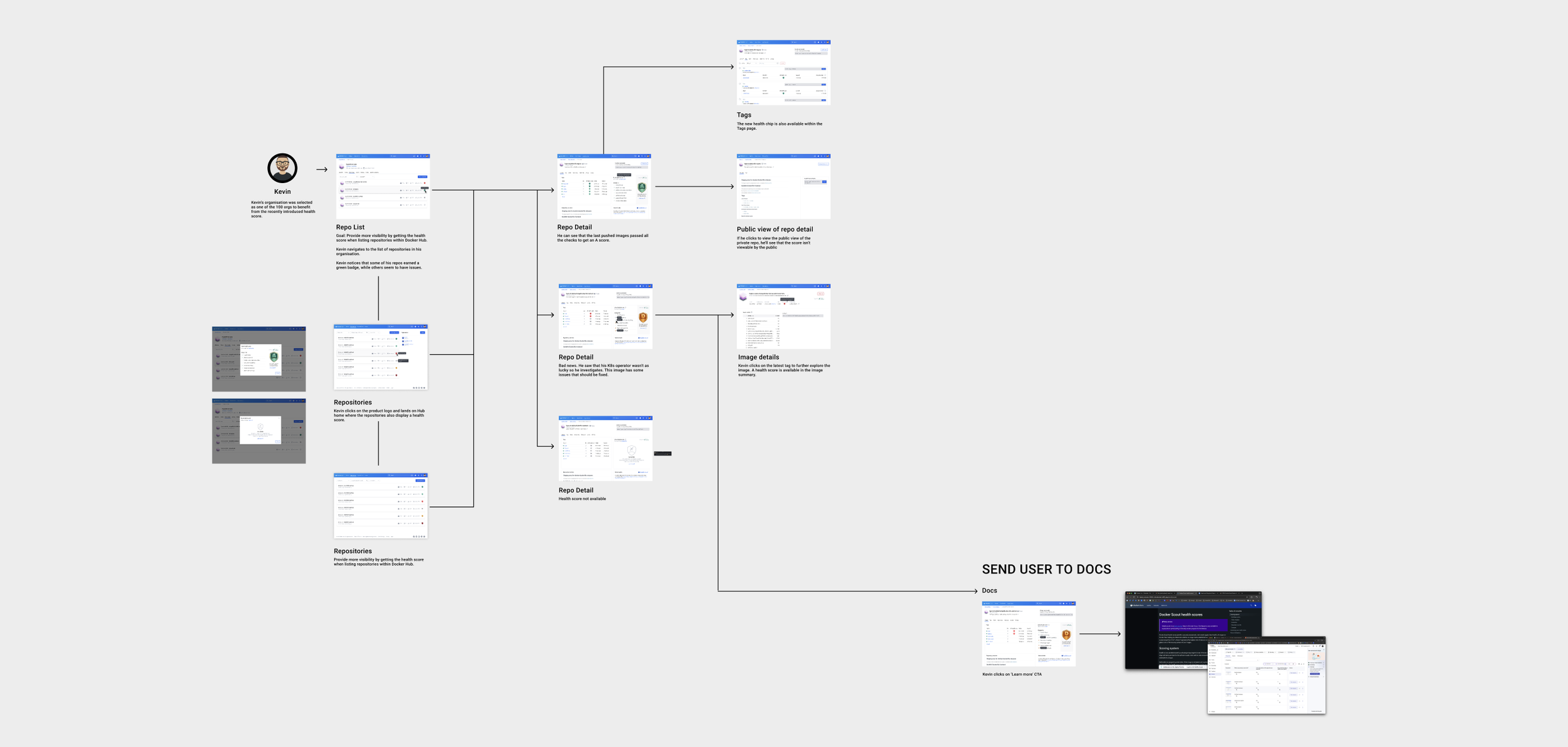
The illustrated user flow tells the story of Kevin, a software developer, who visits Docker Hub and discovers that his repository has been assigned a poor health score. Curious, he starts digging in — learning what health scores are, how they're calculated, and what he can actually do about it. Mapping this out early helped us spot gaps in the experience before we started implementing screens.
insights
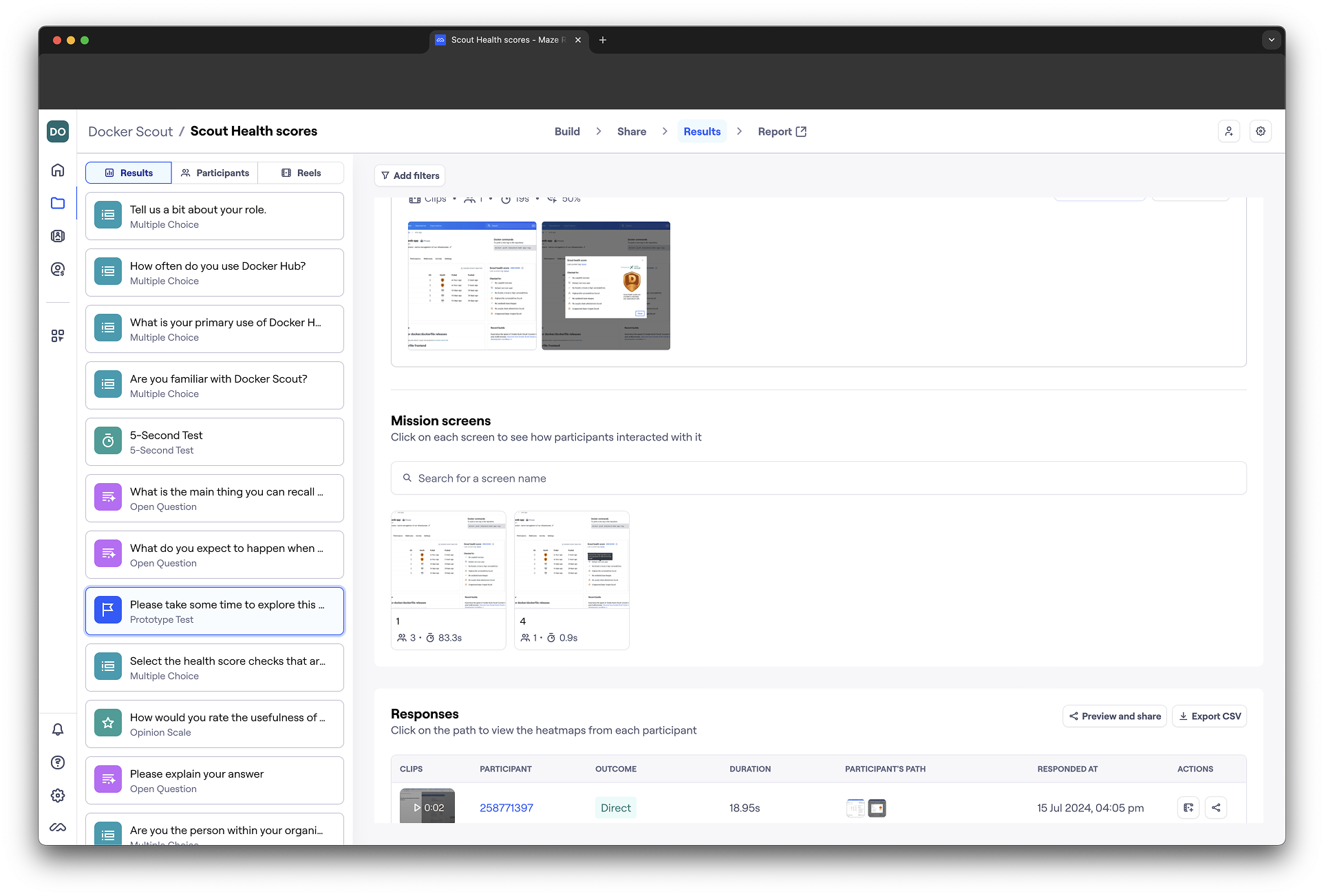
To learn from the beta, we ran two things in parallel. Inside the docs, we embedded a short Hotjar survey — just enough to understand who was landing there, what they expected from health scores, and whether they'd be up for a research session. At the same time, we ran a Maze study with Docker design partners, giving them real tasks to complete.
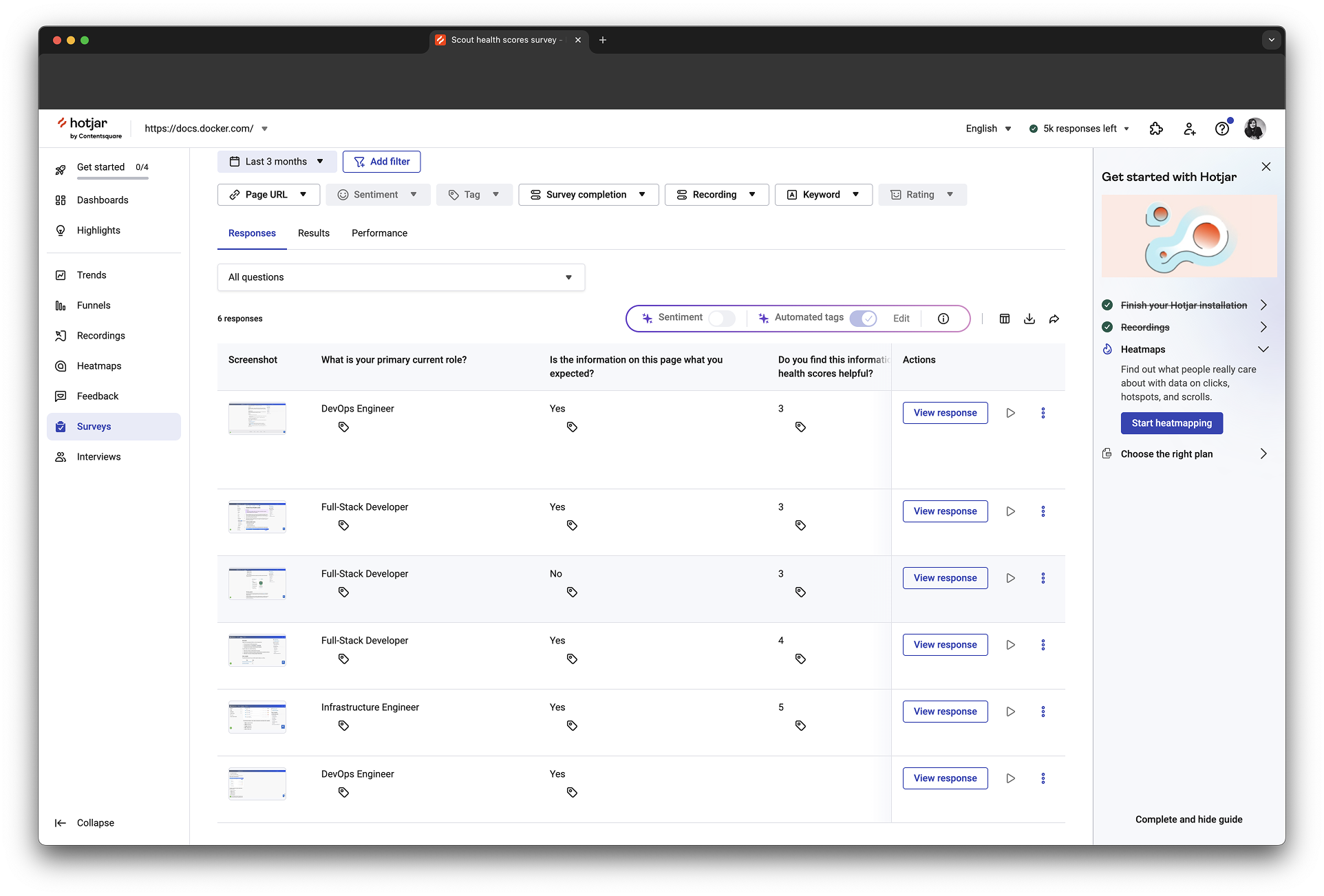
The results were reassuring in some ways and surprising in others. Users could identify and understand the scores easily, that part worked. But the sessions also revealed which security checks actually mattered to their teams, and that shaped what we prioritized in the next iteration.
EARLY ACCESS
With the beta learnings in hand, we were ready to go deeper. Instead of sending users to documentation, we now brought them straight into Docker Scout — where they could explore the full picture: detailed vulnerability insights, applied policies, image layers, and clear next steps for remediation. This time, we were giving developers something they could actually act on.
As a Developer looking to improve my software supply chain security, I want to understand the vulnerabilities in my image at a more granular level and identify the steps I can take to remediate them, so that I can avoid a security incident.
As a Security engineer, I want to view the health scores for all repositories in my organization, so I can get a sense of our overall security posture and follow up with development teams as needed.
use cases
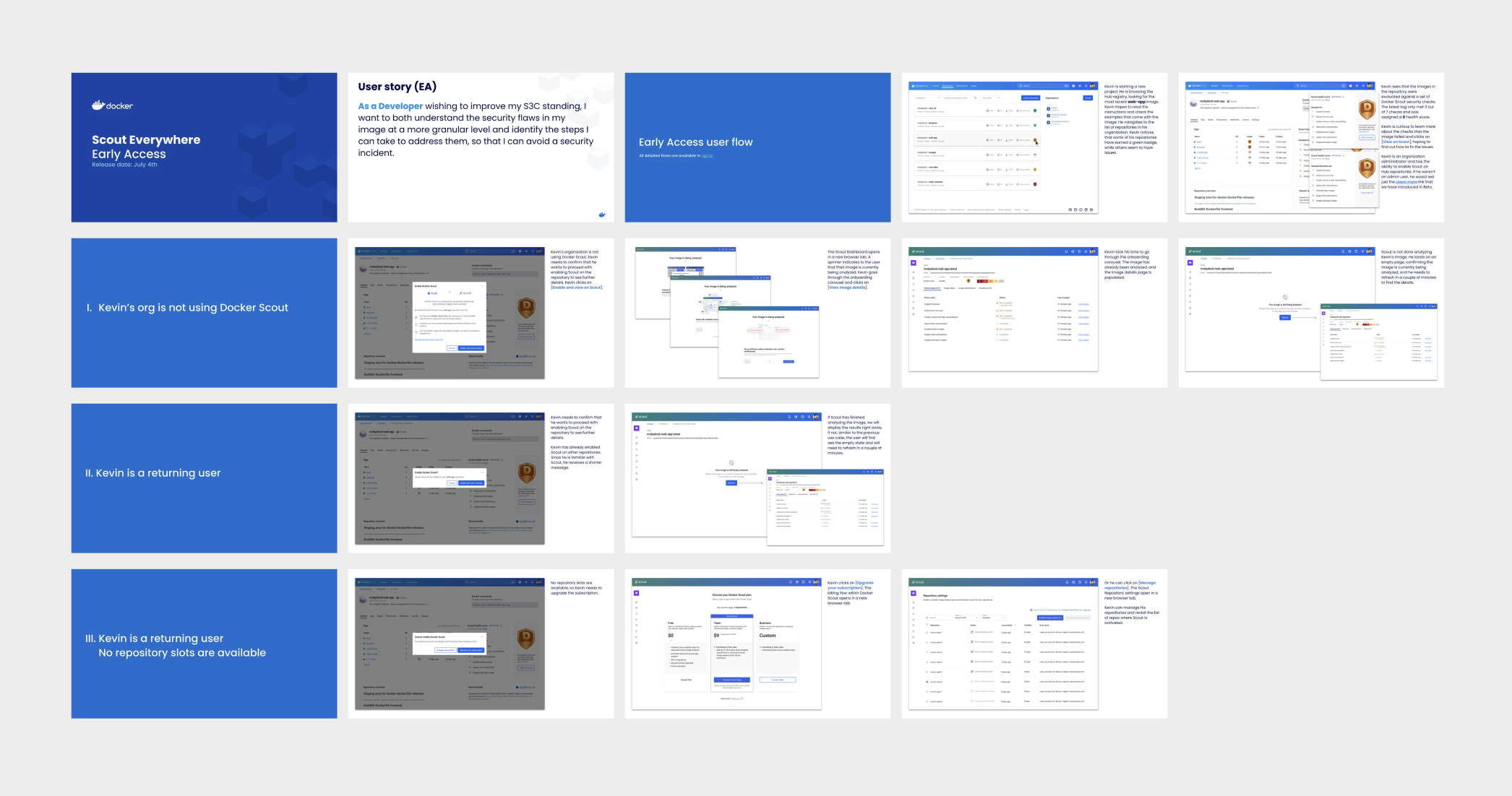
When it came to sharing the designs with stakeholders, I opted for a slide deck over a Figma walkthrough. It's a small but deliberate choice — a deck lets you control the narrative, focus attention on what matters, and make the story easy to follow for people who aren't in Figma every day.
ONBOARDING
First-time Docker Scout users had never seen the product before — and landing in a new, unfamiliar interface can be disorienting. So we turned a technical necessity into a design opportunity. While the image was being analyzed, we used that brief waiting moment to walk users through three short slides explaining what Docker Scout is and what they were about to see. By the time the analysis was done, they were oriented and ready to act.

Docker ecosystem
Docker Desktop was where developers spent most of their time — so bringing health scores there felt like the natural next step. It took several iterations to get right. We tested, measured engagement, and kept refining until we had a health metric that felt genuinely useful in that context rather than just a copy-paste from Hub. Getting it right there mattered — Desktop was Docker's flagship product, and the bar was high.

Conclusion
Health Scores turned out to be more than a security feature. The A–F metric introduced something unexpected — a little bit of competition. Developers started caring about their scores, not because security told them to, but because no one wants an F next to their name. We saw this play out inside Docker's own teams too, with engineers proactively improving images they owned.
The staged rollout reached around 60% adoption across 100 targeted enterprise companies. And beyond the numbers, the feature did something harder to measure — it made security feel like something developers could actually own.